 DogByte by KalisPro
Chat moderation: spam filters and banned words
The DogByte chat bot removes spam from your Twitch and Kick chat and punishes words you do not want on stream. Start with a ready-made protection level, then fine-tune each filter and each word group: the penalty, how long it lasts and who is exempt.
This guide assumes the bot is already connected to your channel (see Chat bot for Twitch and Kick).
Protection level
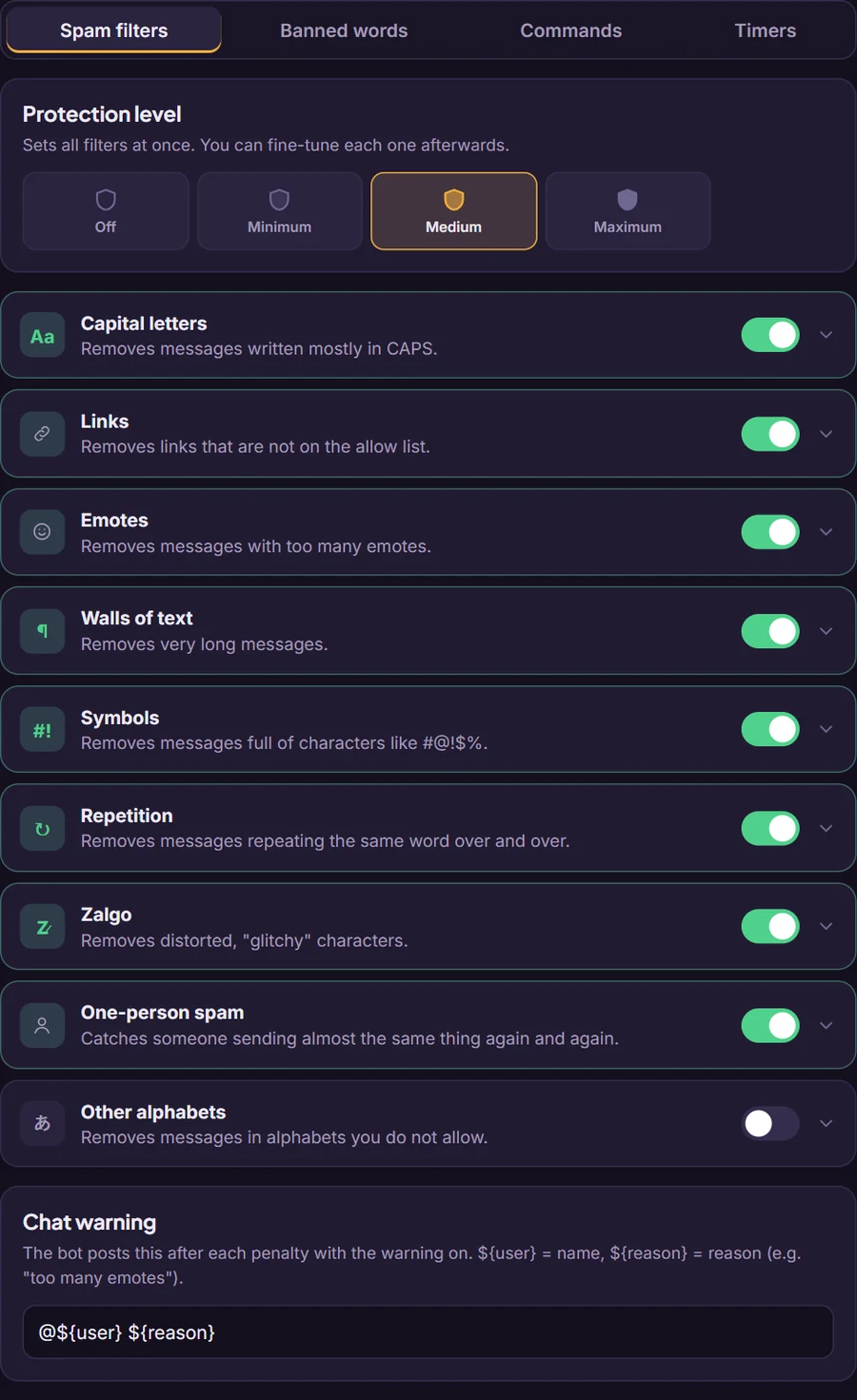
At the top of the Spam filters tab pick Off, Minimum, Medium or Maximum. The level sets all filters at once. You can then change each filter by hand.
Spam filters
- Capital letters: messages written mostly in CAPS,
- Links: links that are not on the allow list,
- Emotes: too many emotes in one message,
- Walls of text: very long messages,
- Symbols: messages full of characters like #@!$%,
- Repetition: the same word over and over,
- Zalgo: distorted, “glitchy” characters,
- One-person spam: someone sending almost the same thing again and again,
- Other alphabets: alphabets you do not allow.
Open a filter to set:
- Action: delete the message, a timeout or a ban, and For how long for a timeout,
- Who is exempt: nobody but moderators, subs and VIPs, or VIPs only,
- Filter sensitivity, for example from how many characters caps are checked, or how many emotes are allowed,
- Chat warning: the bot says what the penalty was for,
- Repeat offenders: each further timeout within an hour is twice as long.
In the Links filter you list allowed sites (*.youtube.com covers subdomains too) and especially bad sites, which get a double penalty.
Banned words
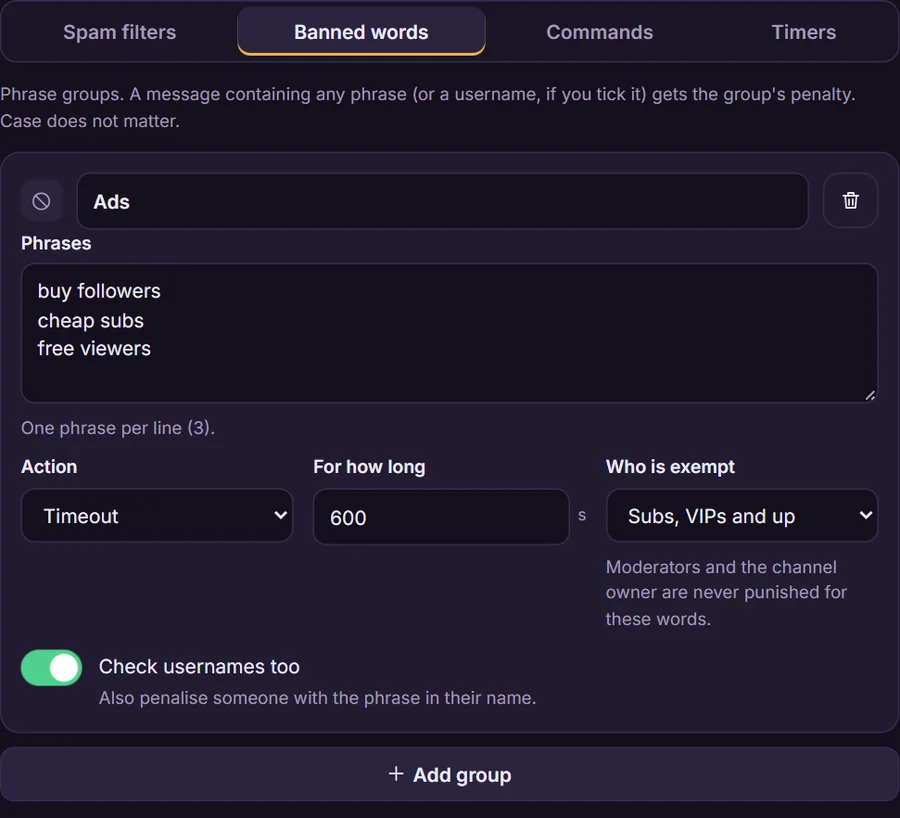
In the Banned words tab you create groups of phrases, up to 10 groups. Each group has:
- Phrases, one per line. Case does not matter.
- Action and For how long, like the filters,
- Who is exempt: Nobody but moderators, Subs, VIPs and up or VIPs and up,
- Check usernames too: also punish someone with the phrase in their name.
Moderators and the channel owner are never punished for banned words, whatever the settings.
Check it in the simulator
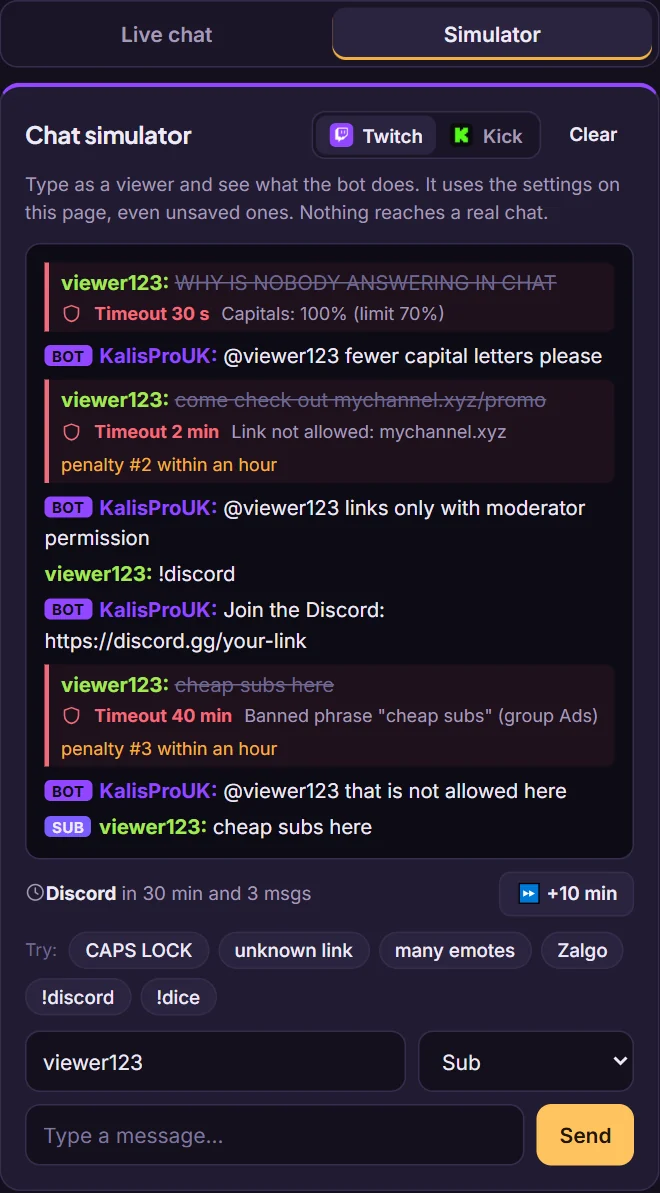
Switch the right column to Simulator, pick a role and type a message with a banned phrase. You see the penalty and the reason, for example the phrase and the group it comes from. If the group exempts subs, the same message from a sub goes through.
Common problems
The bot does not delete anything
Check that the mode is Live, not Preview, and that the bot is a moderator (/mod KalisProUK).
The bot punishes links to my own sites
Add them to Allowed sites in the Links filter. twitch.tv, kick.com and kalispro.uk are there by default.