 DogByte by KalisPro
Weekly and monthly stream summaries on Discord
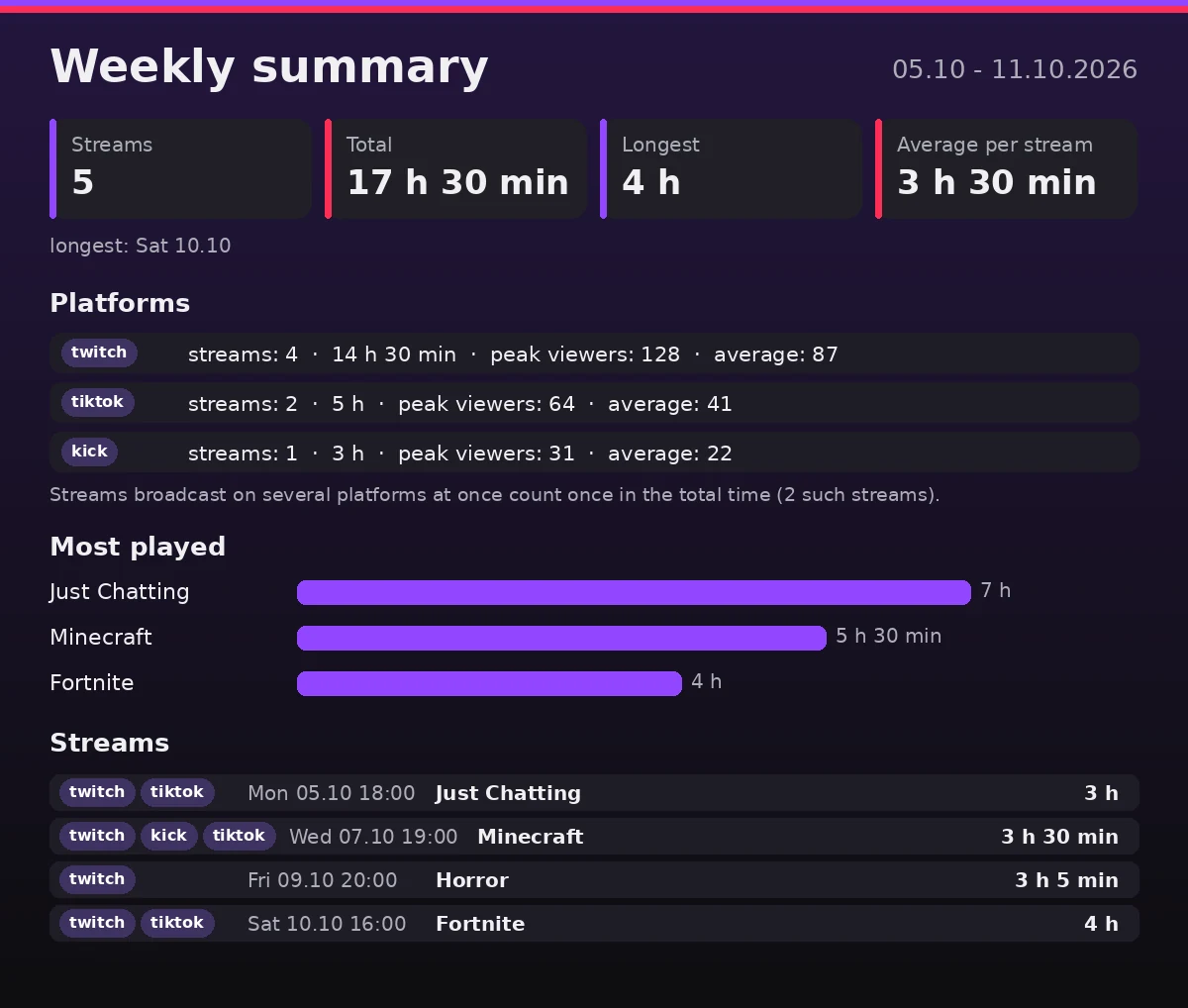
Every Monday and on the 1st of each month DogByte posts a graphic that sums up your streams: how many, how long, the longest one, viewers and the games you played most. It counts streams from every platform the bot follows on your server.
What you need
- DogByte on your server, following your channel (see the Twitch, TikTok or Kick guide),
- a channel for summaries, for example
#stats.
Step by step
- Turn on summaries. Type:
Weekly and monthly summaries are both on. Add/summary setup channel:#statsweekly:Falseormonthly:Falseto keep only one. - Preview it.
/summary showshows this week's summary only to you. Pick another period withperiod:(this week, last week, this month, last month), or addon_channel:Trueto post it. - Done. The weekly summary goes out on Monday and the monthly one on the 1st, from 10:00 in your server's time zone.
What is in the summary
The number of streams, total time, average and longest stream, peak and average viewers per platform and the most played games. A stream sent to several platforms at once counts once in the total time.
You can also set summaries in the dashboard at panel.kalispro.uk, in Summaries.
Common problems
“There were no streams in this period”
Summaries only count streams that DogByte saw after you added the channel. Older streams are not included.
Turning summaries off
/summary off stops automatic summaries. Your stream history stays.