 DogByte by KalisPro
A stream plan your viewers actually see
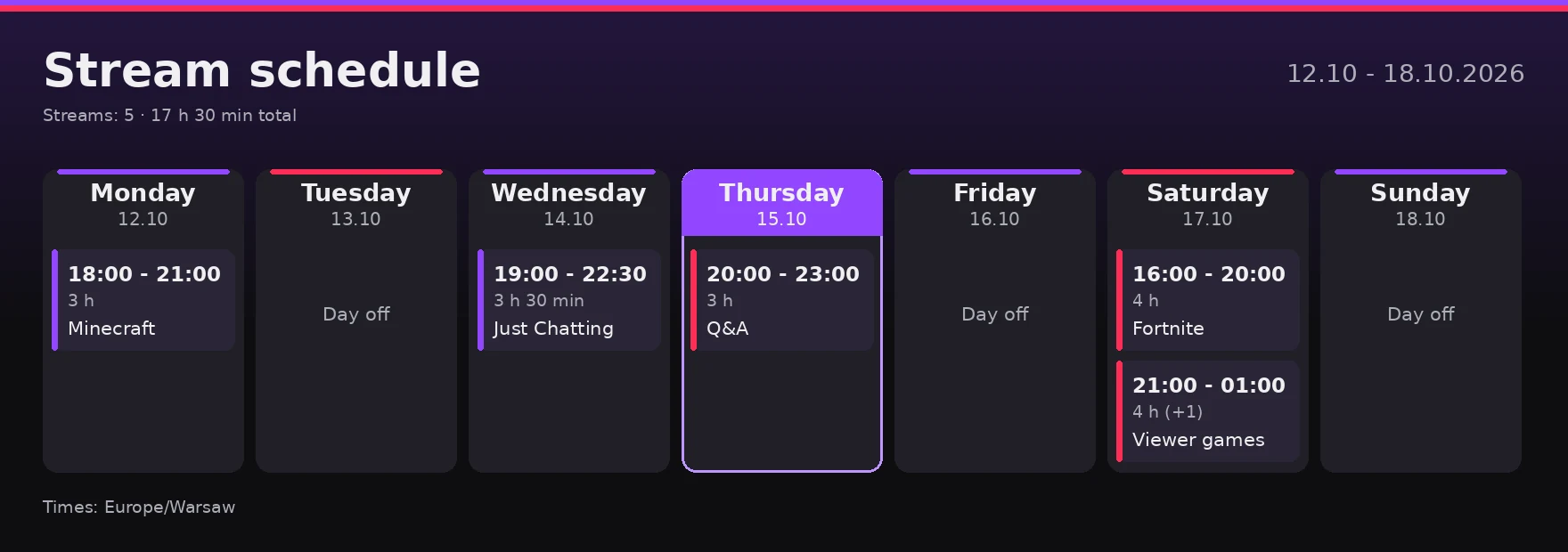
Add your streams for the week and DogByte draws a graphic of the plan and posts it in your channel. Every day it highlights today, and before each stream it can ping a role.
- days on the graphic
- 7
- reminder before the stream
- up to 6 h
- message, always up to date
- 1
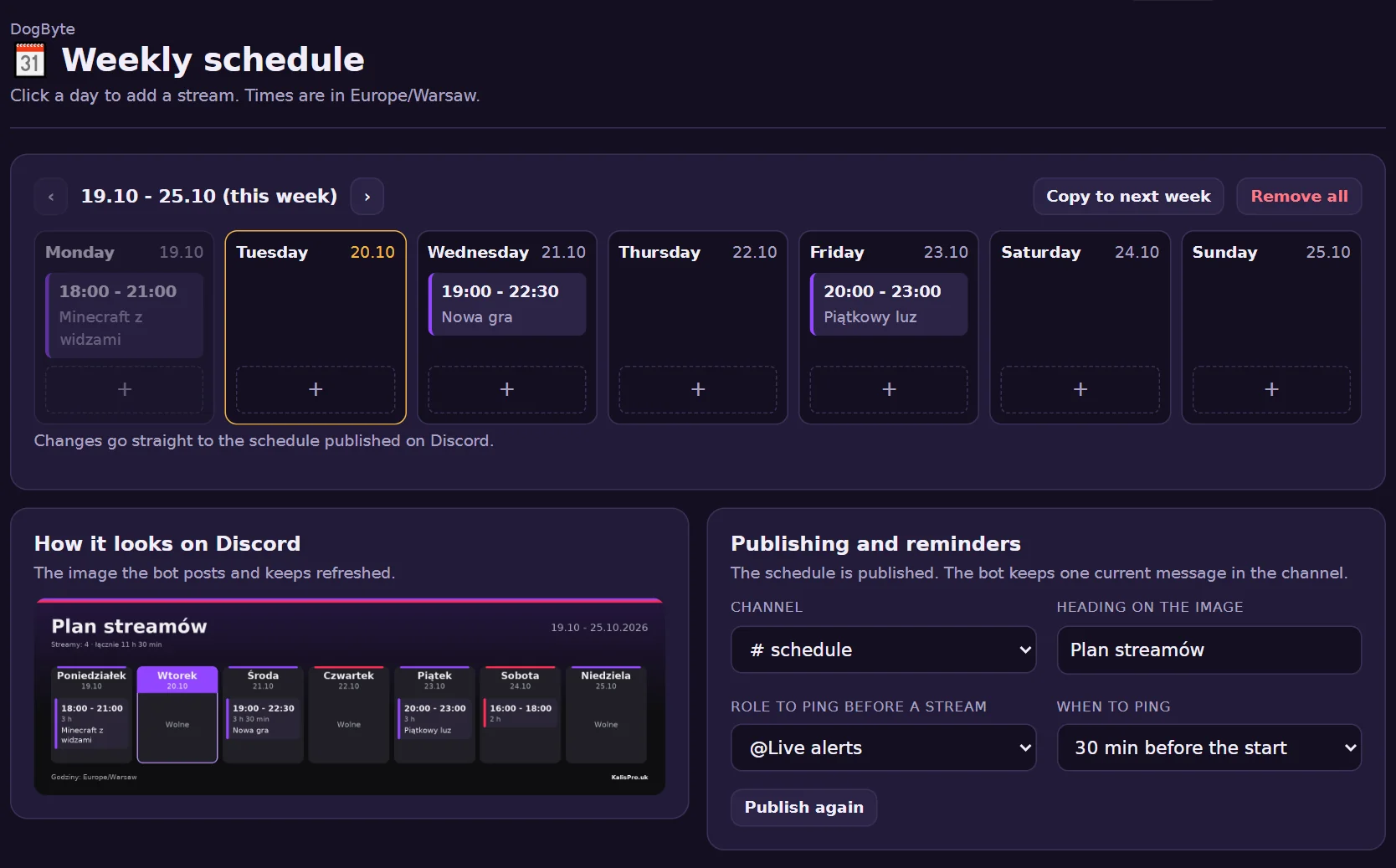
Add a stream to the plan and see the reminder before it starts.
In the dashboard
What it can do
- A plan graphicDays, hours and titles of your streams on one picture.
- Updates itselfChange a stream and the bot edits the same message.
- Today highlightedEvery day the bot marks today on the graphic.
- A reminderThe bot pings a role when a stream starts or up to 6 hours earlier.
- Copy to next weekOne click in the dashboard copies the plan to the next week.
- Your time zoneHours in your server's time zone.
How to set it up
- Open Stream scheduleIn the dashboard click a day to add a stream: hours and title.
- Pick the channelThe bot posts the graphic there and keeps it up to date.
- Set the reminderThe role and how early to ping it.
Commands
/schedule addA stream in the weekly plan: day or date, hours and title./schedule postPosts the plan graphic and sets the ping before the stream.
Questions
Do I need to post the plan again after a change?
No. The bot edits the same message.
Can I have a day off on the plan?
Yes. Days without streams show as days off.
Which time zone are the hours in?
Your server's time zone, set in the dashboard.
Other features
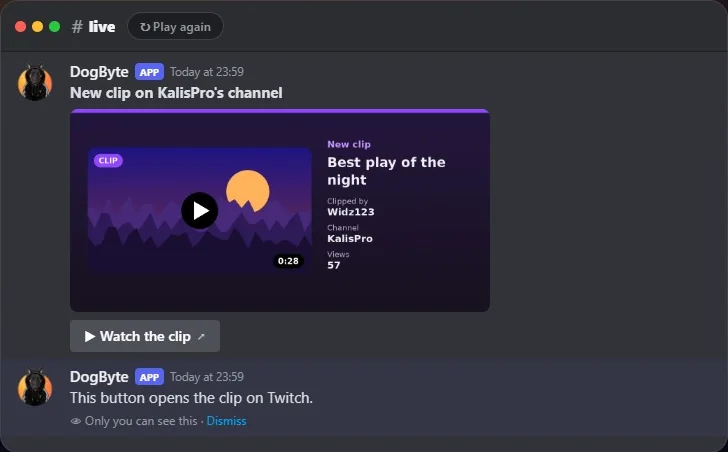 TwitchWatch the alert turn into a summary when the stream ends, then a new clip arrives.
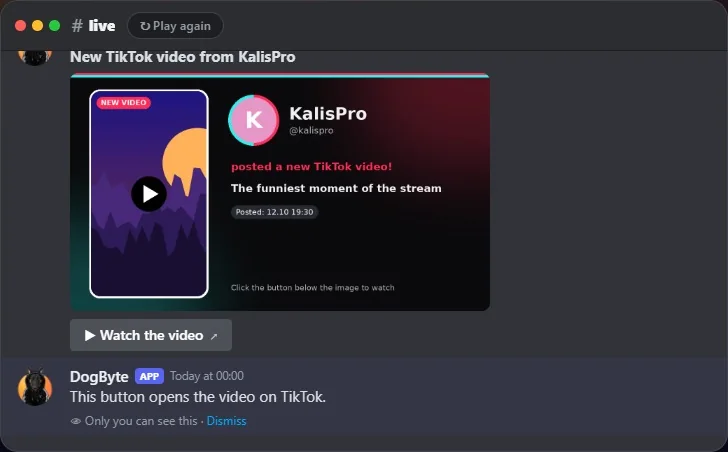 TikTokSee a TikTok LIVE alert, the summary after it and a new video post.
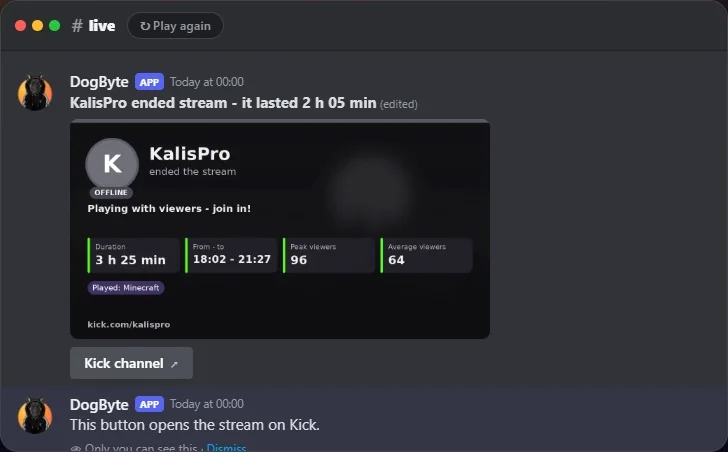 KickWatch a Kick live alert turn into a summary when the stream ends.
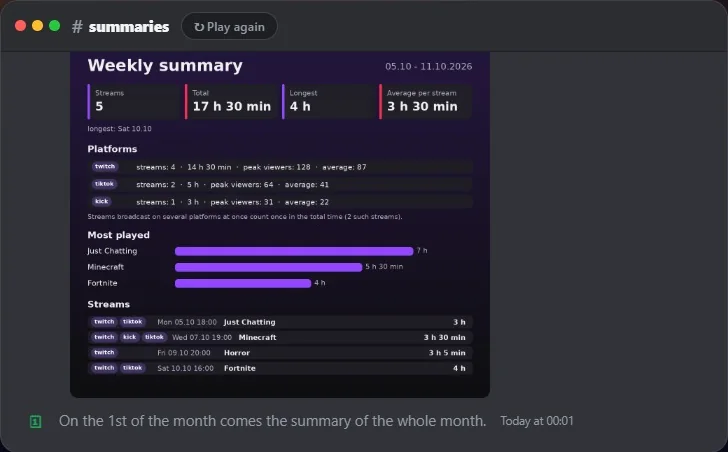 Stream summariesSee the Monday summary of last week's streams arrive by itself.
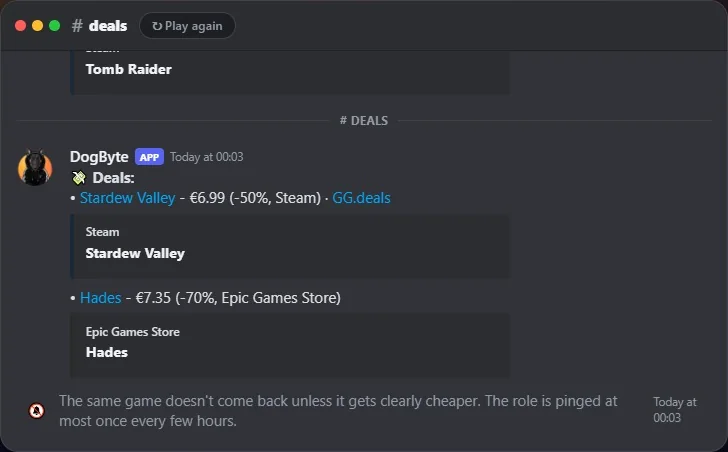 Free games and dealsSee free games and deals land in their channels, without spam.